HP G60 No Power- Blinking Power LED
HP G60 - No Power, Will not turn on, Will not charge
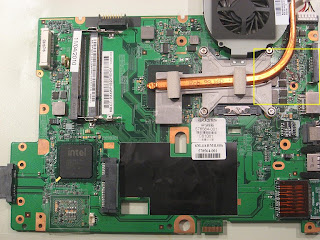 This unit arrives with No Power Problem. When plugging in the AC Adapter I notice that the Power LED is (steady) blinking. The Power button does not work and does not light the charge light, so I can diagnose this as a major POWER IN problem.
Inspecting the power section behind the DC Jack and the bottom side of the board. Turning the board over, I notice a section burnt and a cap missing.
So- the first thing I do is remove the caps indicated as 1,2 ,3 in pictures.
Then do a quick test- plug the power adapter back into the unit.

 The power LED no longer blinks. Cleaning up the area shows me that the cap indicated by #3 had severely shorted and the frayed metal end was also shorting the #1 cap. Removing the solder from the pad, and the welded metal from the missing cap, I have a working surface area to replace the parts. These are standard ceramic caps that can be found on an old board and nothing unique about them.
After cleaning and replacing all the caps in image, time for a final test. Voila!
The unit fires up, and because of the failure, or the unit sitting too long, the BIOS setting were lost or changed because I did not have the unit totally assembled, and peripherals were missing. That is minor and when totally assembled the unit functions normally.
 Solution: replace blown and shorted caps.
The cost is so insignificant that all 3 were replaced, rather than doing one at a time, which takes longer.

Inspecting the power section behind the DC Jack and the bottom side of the board. Turning the board over, I notice a section burnt and a cap missing.
So- the first thing I do is remove the caps indicated as 1,2 ,3 in pictures.
Then do a quick test- plug the power adapter back into the unit.

 The power LED no longer blinks. Cleaning up the area shows me that the cap indicated by #3 had severely shorted and the frayed metal end was also shorting the #1 cap. Removing the solder from the pad, and the welded metal from the missing cap, I have a working surface area to replace the parts. These are standard ceramic caps that can be found on an old board and nothing unique about them.
After cleaning and replacing all the caps in image, time for a final test. Voila!
The unit fires up, and because of the failure, or the unit sitting too long, the BIOS setting were lost or changed because I did not have the unit totally assembled, and peripherals were missing. That is minor and when totally assembled the unit functions normally.
 Solution: replace blown and shorted caps.
The cost is so insignificant that all 3 were replaced, rather than doing one at a time, which takes longer.


any solution for v3000 won't on....
ReplyDeleteKind of vague description- what can I surmise from that?
ReplyDeletegreat description of this fault/fix on an hp-g60 many thx
ReplyDeletehi i have a g60 its turn on go in bios but dint recognize any hard drive or DVD drive i tried bios resting by bios battery and from inside bios but dint work u have any idea that how to resolve this issue plz help me
ReplyDelete